
Specialist signals that read the whole story
TLTO combines speech, scenes, movement, programme audio, visual evidence, hooks and story structure to find coherent moments—not isolated spikes.
INSIDE THE STUDIO
A closer look at the tools behind your next clip, captioned video or longer story. Explore the details. Keep the creative control.
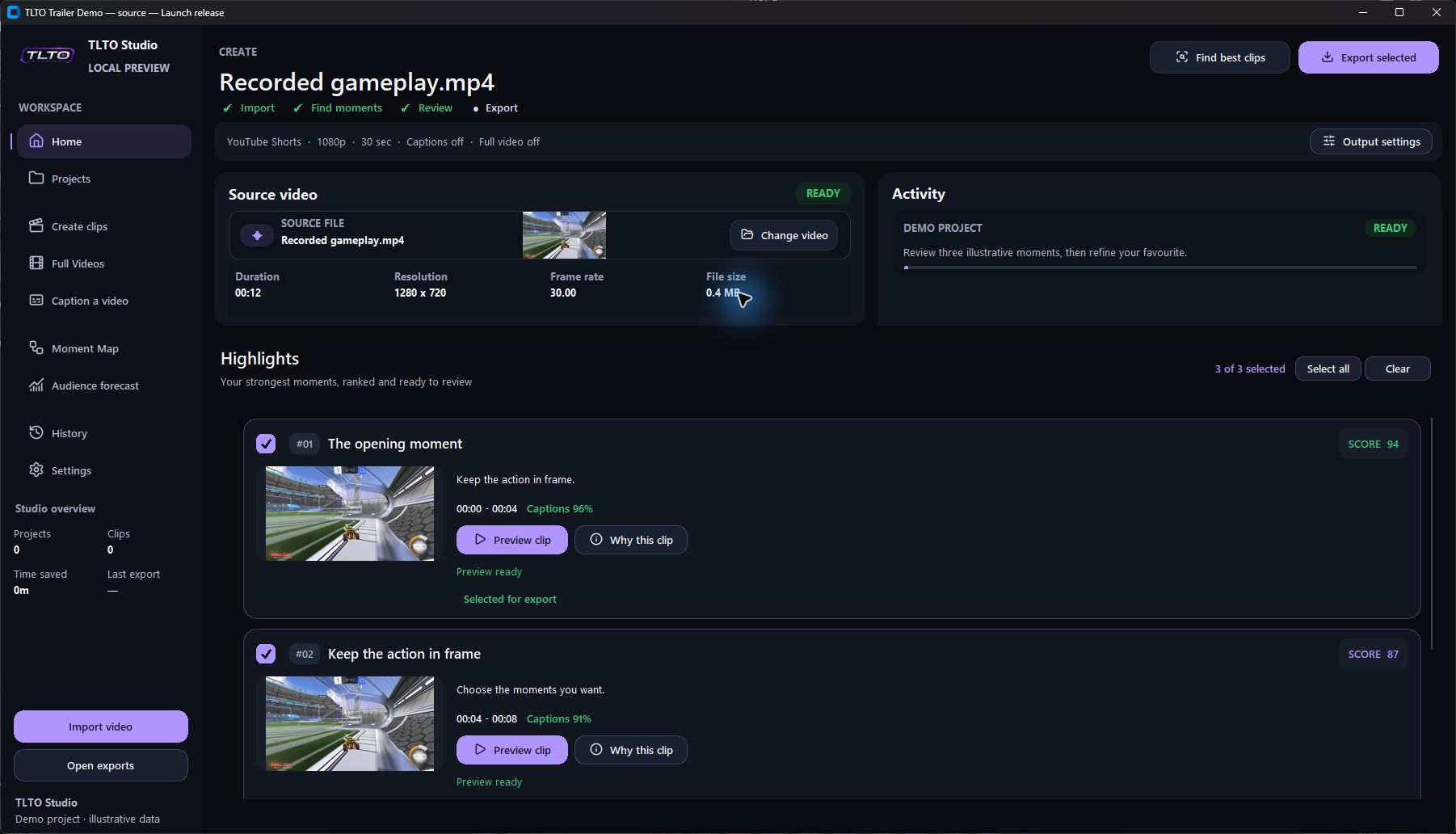
Actual app interface · demo project · illustrative scores, not evidence of result quality.
01 / THE CREATIVE TOOLKIT
Clips are only the beginning. The finishing tools stay in the same local workspace.
TLTO combines speech, scenes, movement, programme audio, visual evidence, hooks and story structure to find coherent moments—not isolated spikes.
Word-level timing, UK and Ireland dialect profiles, creator vocabulary, uncertain-word rescue and reusable transcripts—managed inside TLTO.
Explore suggested moments, hook strength and pacing. These are editing signals to help your judgement—not a prediction of views or audience response.
Correct words, choose the caption track, guide the crop, add punch-ins, place a watermark and preview the actual finished format before export.
Turn one source into adaptive-length highlights, thumbnail options, a captioned original or a structured full-video cut with a Coming Up montage.
Recover interrupted queues, check cadence and timing, release AI resources before rendering, and review finished videos inside TLTO's own player.
AI suggestions, captions and editing signals need your review. Useful highlights and audience results are not guaranteed. Compare Free and Pro →
02 / THE BIGGER PICTURE
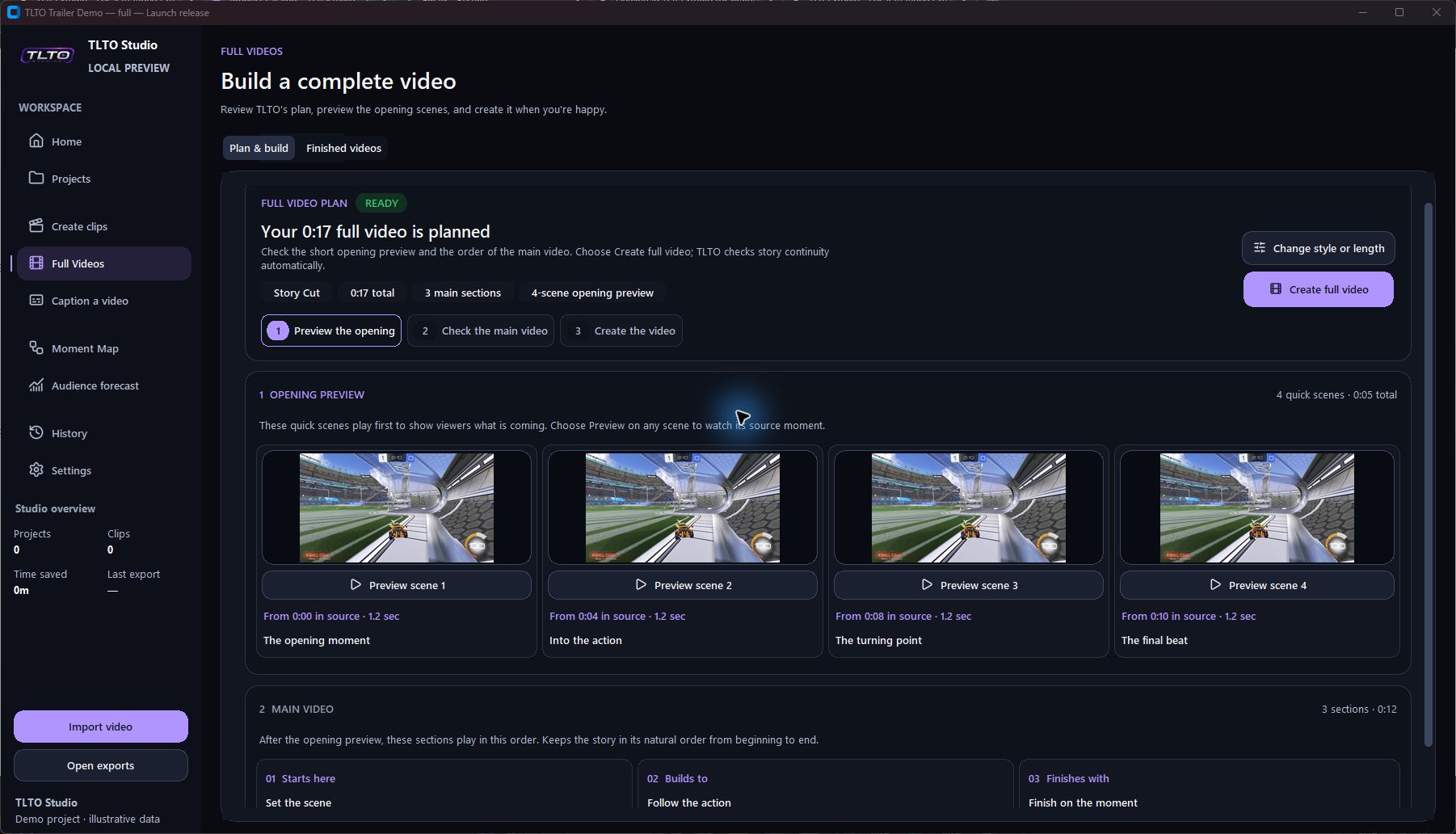
Full Video Director helps you plan a longer edit. Choose a direction, review the opening and individual scenes, then refine the plan before rendering.
03 / MAKE IT YOURS
Open the part of the workflow you want to explore. Pro features are identified in the plan comparison.
Name every source track, choose clean voice tracks for captions, and decide what viewers hear in the export. TLTO handles programme-audio analysis separately.
After five saved edits, My Cut can propose timing, captions, framing and movement that reflect your own choices. Learning stays local, visible and reversible, with Original always available.
Choose a Story, Viral, Podcast or other direction and a 3, 5, 8 or 12 minute target. Review the Coming Up montage and Hook, Setup, Build-up and Payoff before TLTO renders anything.
Smart mode starts efficiently and rechecks only uncertain or uncovered speech when enhanced models are available. Fast stays single-pass; Precision favours the most demanding accents and audio.
Add a channel logo, let TLTO remove a simple background, choose its position and size, then attach reusable intro and outro videos without opening another editor.
A 30-second request guides the result without forcing a bad cut. TLTO can extend or tighten a moment to protect the setup, action and payoff, then track faces for vertical, square or landscape output.
Play the complete video beside its transcript, follow the active word, search any phrase, edit wording in context and preview animation and colour before captions are burned in.
Readiness checks, safe hardware fallbacks, resumable model downloads, queue recovery, project relinking, diagnostics and one-click preview cleanup keep work moving when a machine is imperfect.
A layout aid—not video transcription or an exact preview of app exports.
04 / BUILT BY CREATORS
We spent many long months building the tool we wanted for our own videos: less repetitive work, private local processing and creative decisions that stay with you.
TLTO is founded and owned equally by Gary McAlpine and Jordan Ferris. This is our shared venture, with an equal voice in its direction and future.
See what we’re working towards ↗Co-founder & Equal Co-owner
Engineering & creator workflowCo-founder & Equal Co-owner
Product vision & creator experience05 / BETTER TOGETHER
Report a bug, suggest a feature or tell Gary and Jordan how TLTO feels to use. This is a real message to the team, not a mailing-list signup.
For account or payment help, email support. Never post your licence key publicly.