
SEEN TLTO? START HERE.
One recording.
Your first highlight.
Download one Windows app. Make your first clip with Free, or choose 24 hours of all released Pro features—no card required. You decide when to start.
No card for Free · Local video processing · Original unchanged
Watch the real app walkthrough, then try your own footage. Free needs no email or trial activation.
64-bit Windows 10 22H2 / Windows 11. Not a phone or Mac app. Current installer is signed; reputation warnings can still appear: read the security notice. Don’t disable security protections.
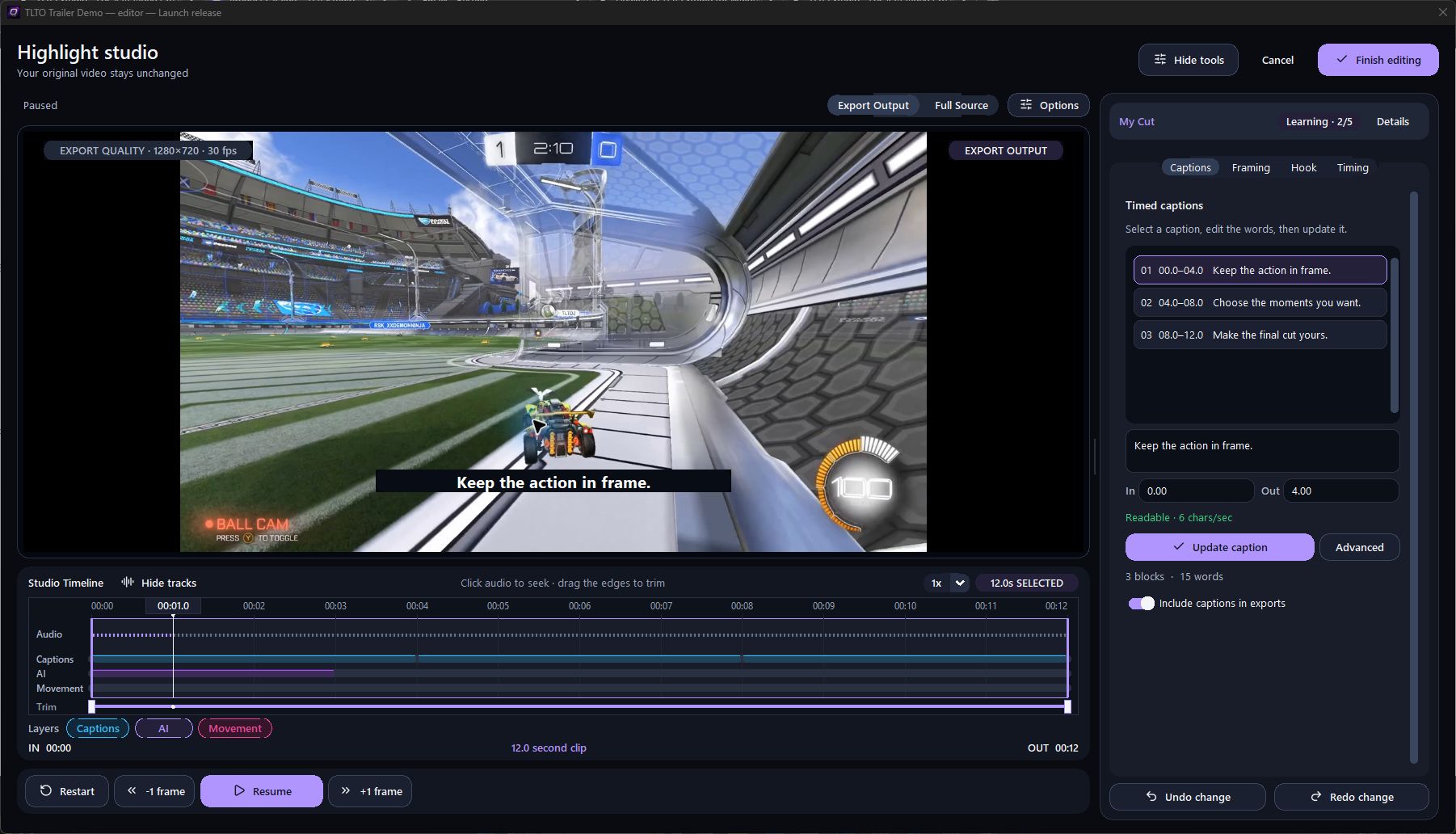
Some tools shown, including captions, require Pro.
OPTIONAL · START IT INSIDE THE APP
24 hours of Pro. No card. No automatic charge.
Download and install TLTO first. When you have a recording ready, open Settings → Account, enter your email and choose Email a code. Enter the emailed eight-digit code, then select Start 24-hour trial.
Your 24 hours begin when the code is successfully verified—not when you download or install. Try all released Pro features with no automatic renewal or charge; afterwards, keep using Free unless you separately have valid Pro access. Your projects and exports stay yours.
One-time evaluation per eligible email and device; reinstalling does not reset it. Internet is required at startup and periodically during the evaluation. Codes last ten minutes; check junk or spam. Full trial instructions and privacy details.
Already have a licence? Activate your existing key in Settings → Account → Plan & licence instead. You do not need a new trial or purchase. Existing subscriptions, seven-day card-required checkout trials and promotional offers are separate and unchanged. See plans and checkout offers.
WHAT YOU CAN TRY
Free means a real first clip.
- Source length
- Up to 30 minutes
- Suggested highlights
- Up to 3 per analysis
- Export resolution
- 720p
Pro adds features including editable captions, Full Video Director, branding and higher-resolution exports. Compare the plans after trying Free on your PC.
A SMALL FIRST PROJECT
From import to first export.
Import footage you know
Choose Import video and use your own recording of 30 minutes or less for Free. Pick something with an interesting moment so you can judge the suggestions yourself.
Find it. Review it.
Open Create clips, choose the matching content type and select Find best clips. Open a suggested highlight and check its start and finish. AI suggestions need your judgement; keep the moment that tells the story.
Export your first clip
Select the clip you want, choose 720p for Free and select Export selected. Watch the exported file back. Your original stays unchanged. Then share it in Discord if you’d like feedback.
Processing time varies with your PC and footage. See the measured reference stages and clearly labelled estimates, or follow the full highlights guide.
ON YOUR PHONE?
Keep this for your PC.
No need to download a Windows installer to your phone. Copy this page’s address or bookmark it, then open it on your Windows PC.
No email or signup needed. Want to explore now? Try our free browser caption-layout tool—it previews text styling, not video transcription or export.
BUILDING THIS TOGETHER
Meet Gary, Jordan
and fellow creators.
Join the TLTO Discord to share your first clip, ask a question and help shape what comes next. We’re a small team, and specific, honest feedback helps.
Join the TLTO Discord ↗Discord is a public community. Don’t post licence keys or private details. For account and purchase help, email support.