
THE SHORT VERSION
- Start with a recording you have permission to use.
- Treat suggestions as a first cut, not a verdict.
- Check the finished crop and sound before exporting.
Import the recording and choose its destination
Open Create clips, then Import video. Choose a PRESET such as TikTok, YouTube Shorts or Instagram Reels, and use Gaming / Livestream for CONTENT TYPE.
Set a TARGET LENGTH of 15, 30, 45 or 60 seconds. The length is a guide: keep enough context for the moment to make sense. Free supports recordings up to 30 minutes and up to three highlights per analysis; longer source recordings require Pro.
Set up the sound before analysis
If the recording contains separate audio tracks, check the Audio tracks controls before you start. With Pro captions, the clean microphone or commentary track can feed transcription while your export keeps the game sound.
If the source has only one mixed track, TLTO cannot turn it into isolated microphone and game tracks. Choose the cleanest recording you have and expect to review difficult speech.
Find candidates, then watch the whole moment
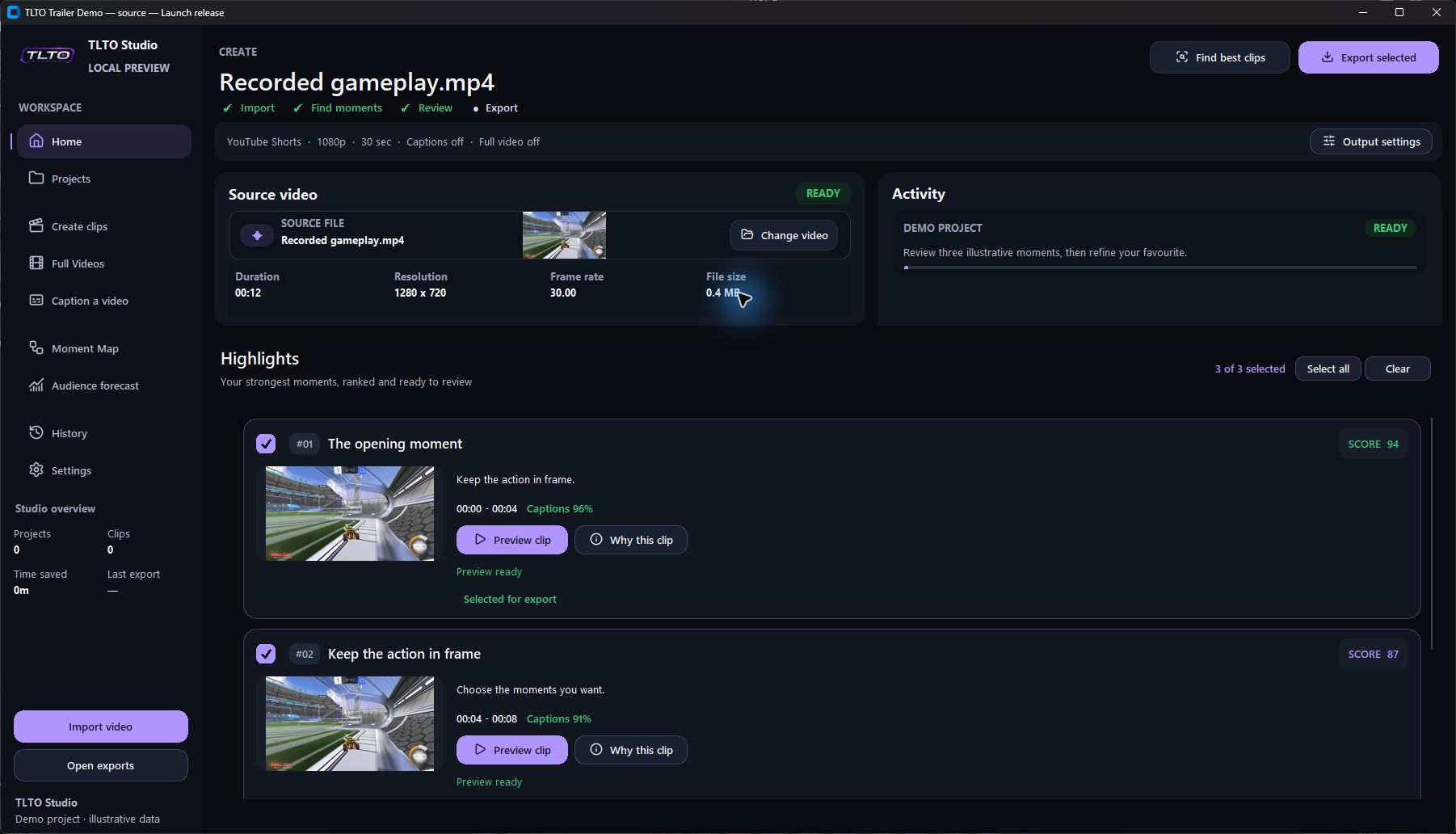
Select Find best clips. TLTO combines speech, scenes, sound and movement to suggest highlights. Read the reasons, but use Preview clip to judge each moment yourself.
For a Rocket League recording, for example, ask whether a viewer can follow the approach, the shot and the reaction. Do not assume every goal will be detected or that a high score guarantees an engaging clip.
Refine timing and check the frame
In Highlight studio, use the Studio Timeline to adjust the clip boundaries. Avoid starting halfway through a sentence or cutting off the reaction immediately after the action.
Open Framing and check where the important gameplay lands. A vertical crop can hide the ball, score or other useful context. Face tracking is not guaranteed game-object tracking; use Manual position where needed and watch the result.
Preview the output, then export your selection
Review Export Output rather than relying only on Full Source: this is where the finished format matters. Check captions if enabled, listen to the sound and save your changes with Save & finish when shown.
Select the highlight cards you want and choose Export selected. Free exports at up to 720p; Pro adds 1080p and 4K options. A larger output resolution cannot recreate detail missing from the original recording. Watch the exported file before posting.
Before you post
- The original source video stays unchanged; exports are separate files.
- Analysis time depends on the footage, settings and PC. No fixed processing-time promise.
- Suggested highlights still need your judgement. Keep only what tells the story.
YOUR FOOTAGE. YOUR FINAL SAY.
Put the workflow to work.
Explore TLTO for Windows and choose the tools that fit your next video. Read the installation notice before downloading.